
These are the steps to setup Lync 2013 to work with Enterprise Voice through a Cisco router running CME (CallManager Express) or an Adtran 7000 router like the NetVanta 7100.
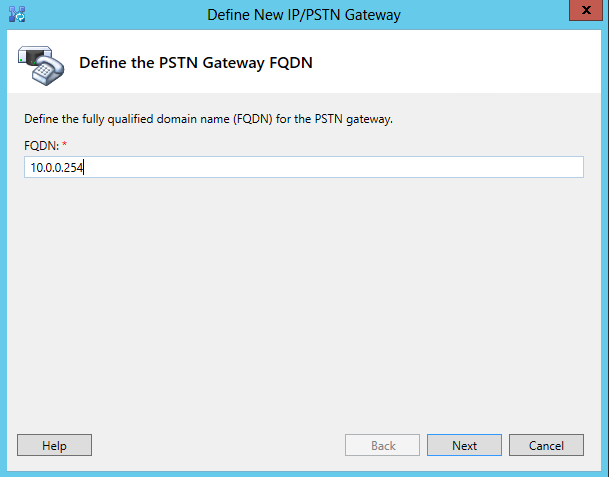
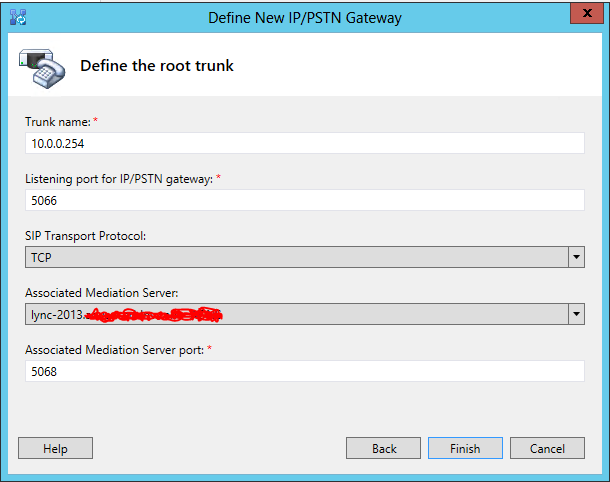
From the Lync Topology Builder open your site, Shared Components then right-click on PSTN Gateways and select New. Enter the IP address of your router and choose next. Click Next again. On the last page change SIP Transport Protocol from TLS to TCP, select your mediation server if it's not already automatically chosen and choose finish. Publish the updated topology.
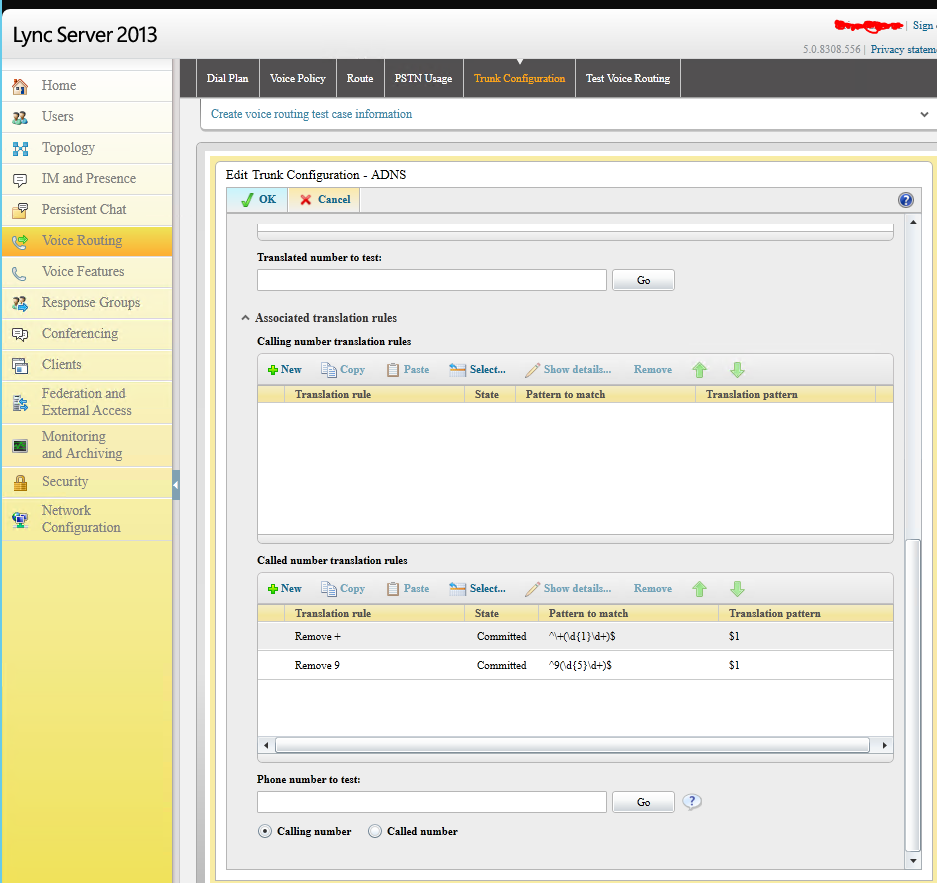
Next hop over to the Lync Server 2013 Control Panel. Choose Voice Routing and then Trunk Configuration. Edit your site configuration and scroll down to Called Number Translation Rules. I added 2 rules, one to remove + and the other to remove 9 for outbound calls.
Next go to Dial Plan and edit the site dial plan. If you don't have one create one for your Lync site. Scroll down to Associated Normalization Rules and create a new rule. I created a rule where the call that matched had to be at least 3 digits and I didn't remove or add any digits.

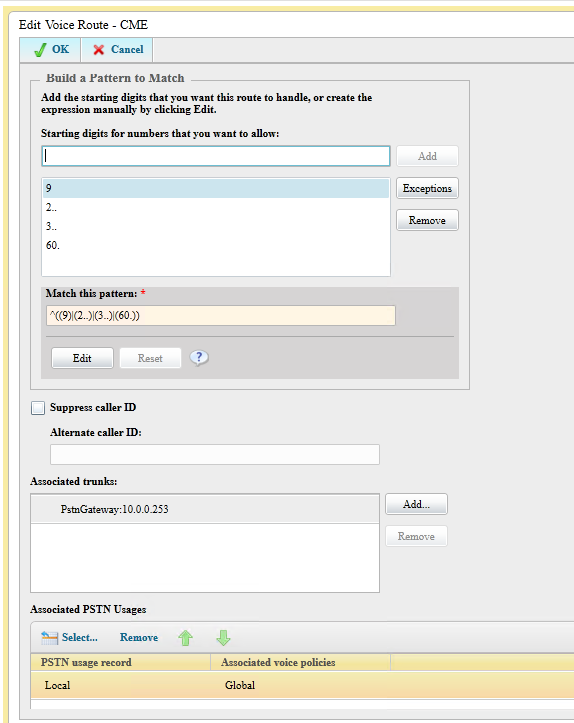
Next go to Route and choose New. Name your route and then add patterns to match for outbound calls and extensions on your CME or 7100 router. I chose to add 9 followed by anything for outbound calls and then 2.., 3.. and 60. as those are all the ranges used in our router. Under Associated Trunks add the PSTN gateway we configured earlier.
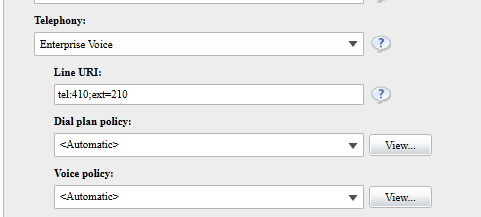
Lastly go to users, edit the desired user and change the Telephony option to Enterprise Voice. In the line URI put the desired Lync extension and if desired the PBX extension of the user as well like this: "tel:410;ext=210". 410 is the Lync number and 210 is that user's number on the router.
Ok, that should do it for Lync. Now let's configure the the router and setup the SIP trunk. In my case the Lync server was at 10.0.0.15 and as mentioned before my Lync extensions were 4xx.
For the Cisco router:
dial-peer voice 14 voip description **Incoming from LYNC 2013** b2bua session protocol sipv2 session target ipv4:10.0.0.15:5068 incoming called-number .% voice-class sip dtmf-relay force rtp-nte dtmf-relay rtp-nte codec g711ulaw no vad
dial-peer voice 15 voip description **Outgoing to Lync 2013** destination-pattern 4.. session protocol sipv2 session target ipv4:10.0.0.15:5068 session transport tcp dtmf-relay rtp-nte codec g711ulaw no vad
For the Adtran router:
voice trunk T04 type sip description "Lync 2013" no reject-external sip-server primary 10.0.0.15 tcp 5068
voice grouped-trunk LYNC description "Lync 2013" trunk T04 accept 4XX cost 0
A few things to note:
- On the Adtran 7100, you will need to make sure that "no reject-external" is on your trunk to the PSTN, whether SIP or PRI, or else the calls will not be able to traverse from trunk to trunk.
- In my case I stripped the 9 in Lync before I passed it on to the PBX. The Adtran likes this, but if I recall the 9 may be required when connecting to CME as it needs it to match the outgoing dial-peer to the PSTN.
- I then went on to configure the PBXs to dial both the internal PBX number and the Lync number at the same time. In CME this is through Single Number Reach and in the 7100 this is through Find Me Follow Me.
- I've noticed that when making a call from Lync there are a few beeps before the call is placed and ringback is heard. It seems like it's searching for a route. I will update this post if I determine what the cause is.